
Transparency made simple: Navigating the new digital settlement statement

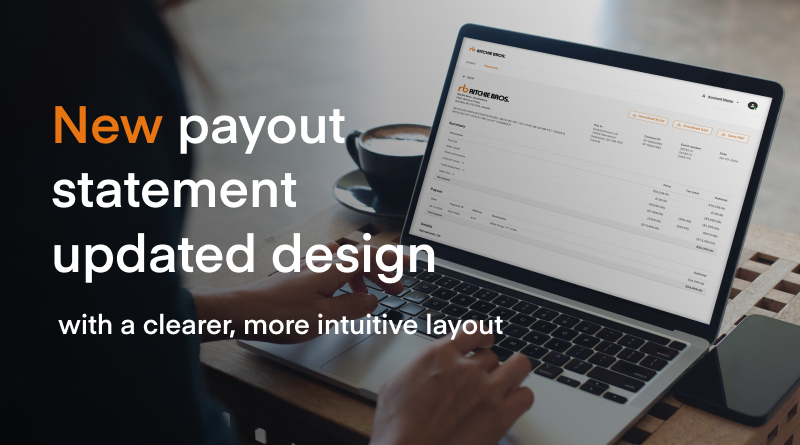
At Ritchie Bros., we are committed to providing a seamless, transparent experience for our sellers. We are excited to introduce the New Settlement Statement, a digital-first feature designed to give you a clear, itemized summary of your financial outcomes.
For sellers reviewing your latest auction results, this guide will help you navigate the updated Digital Seller Experience.
What is the new settlement statement?
The Settlement Statement is your financial roadmap following a sale. It summarizes:
- Gross Auction Proceeds: The total amount your assets sold for.
- Adjustments: Credits, commissions, and deductions (such as repairs or hauling).
- Net Payout: The final amount you will receive.
For Sellers: How to access your statement
Reviewing your payments is now easier than ever. Follow these steps to view your statement on rbauction.com:
1. Log in
Go to the website and click “Sign In.” You have two convenient ways to access your account:
Standard: Enter your email and password.
Passwordless: Click “Sign in without password,” enter your email to receive an automated code, and use that code to log in.
2. Navigate to ‘Selling’
Click your initials in the top right corner and select “Selling” from the dropdown menu.
3. Select the correct account
If you manage multiple accounts, use the dropdown menu next to the Account Icon to select the applicable business entity.
4. View settlements
The page defaults to your “Assets” view. To see your financial data:
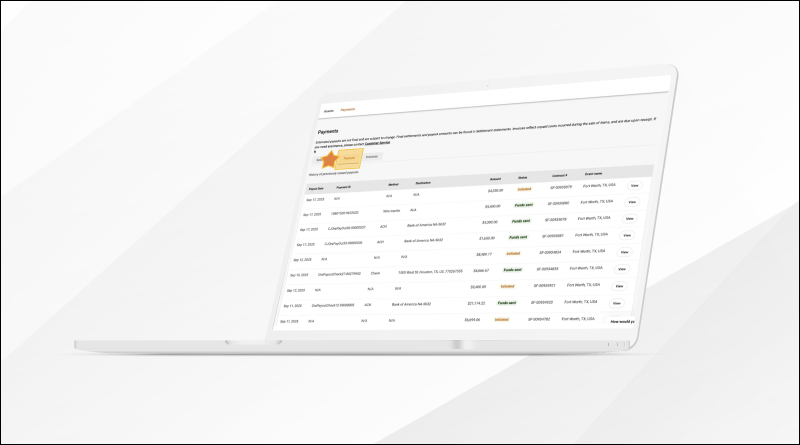
- Click the “Payments” tab.
- Select “Settlements” to view your list of statements.
Key features & new status definitions
The new digital format isn’t just a list of numbers; it’s a detailed breakdown designed for clarity.
Itemized summaries
The statement uses expandable sections to show deductions like liens, hauling, and service work. It also specifically supports Guarantee/Excess contracts, clearly outlining the different commission rates applied to each portion.
Understanding lot statuses
To keep you informed on where your money is, we’ve introduced specific statuses:
- Processing: The lot is within the standard contractual settlement timeframe.
- Paid: The payout has been issued.
- Payout Delayed: Indicates a “hold-back” scenario where the payout is temporarily paused.
- Sale Canceled: A new status indicating the sale will not be completed (e.g., a collapse-to-owner scenario).
Notifications: What to expect
To reduce inbox clutter while keeping you informed, our notification system is streamlined:
- Day of Sale: You will receive an email with a link directly to your Estimated Settlement Statement.
- Payout Issuance: You will receive a final automated communication once your payout is actually issued.
Note: Notifications are not sent for “Partially Paid” or “Finalized” status updates.
Need more help?
Log in to your Digital Seller Experience today to explore these features or contact your local sales representative for more information.


 |
IronPlanet’s Sale Day experience just got a lot better |

Ritchie Bros. is a one-stop-shop for everything your equipment and truck business needs to succeed - buying and selling solutions, market insights and valuation, global buyer demand, and fleet management tools.
Ritchie Bros., Two Westbrook Corporate Center, Suite #1000 Westchester, Illinois, 60154 | +1.800.663.8457